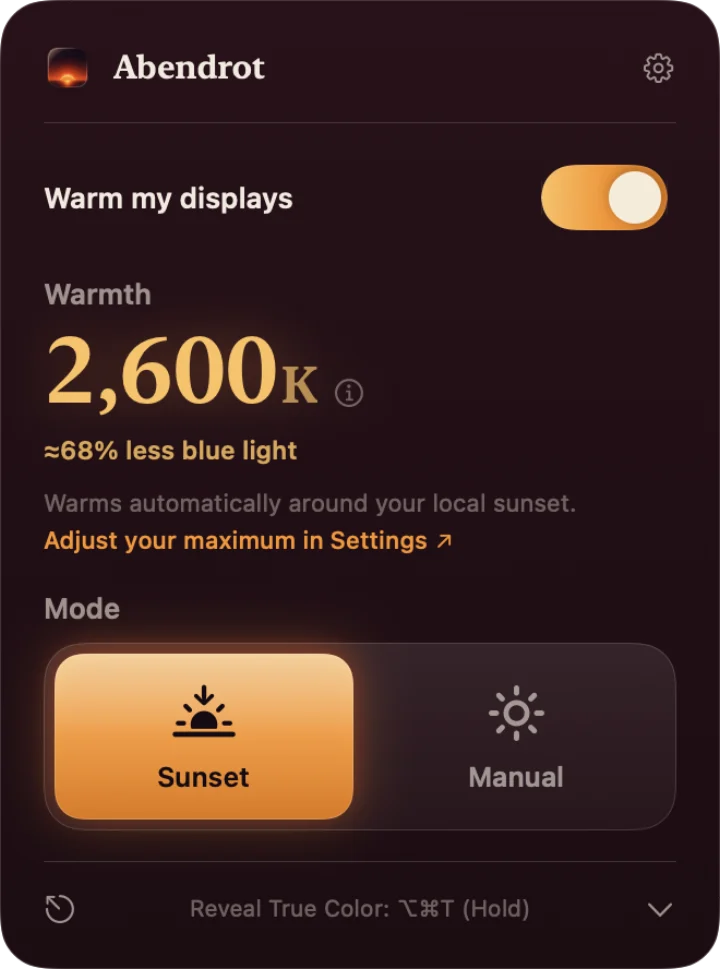
Menu bar control
Adjust warmth, see the estimated blue-channel reduction, and switch between Sunset and Manual without opening Settings.
Try it
An in-browser approximation of Abendrot’s warming - for the calmest evening, lower your screen brightness too.
The macOS app for your circadian rhythm
Grounded in peer-reviewed light research, Abendrot warms your entire workspace around sunset because staring at bright blue light at night is suboptimal.[1,4-6,8]
Adjust warmth, see the estimated blue-channel reduction, and switch between Sunset and Manual without opening Settings.
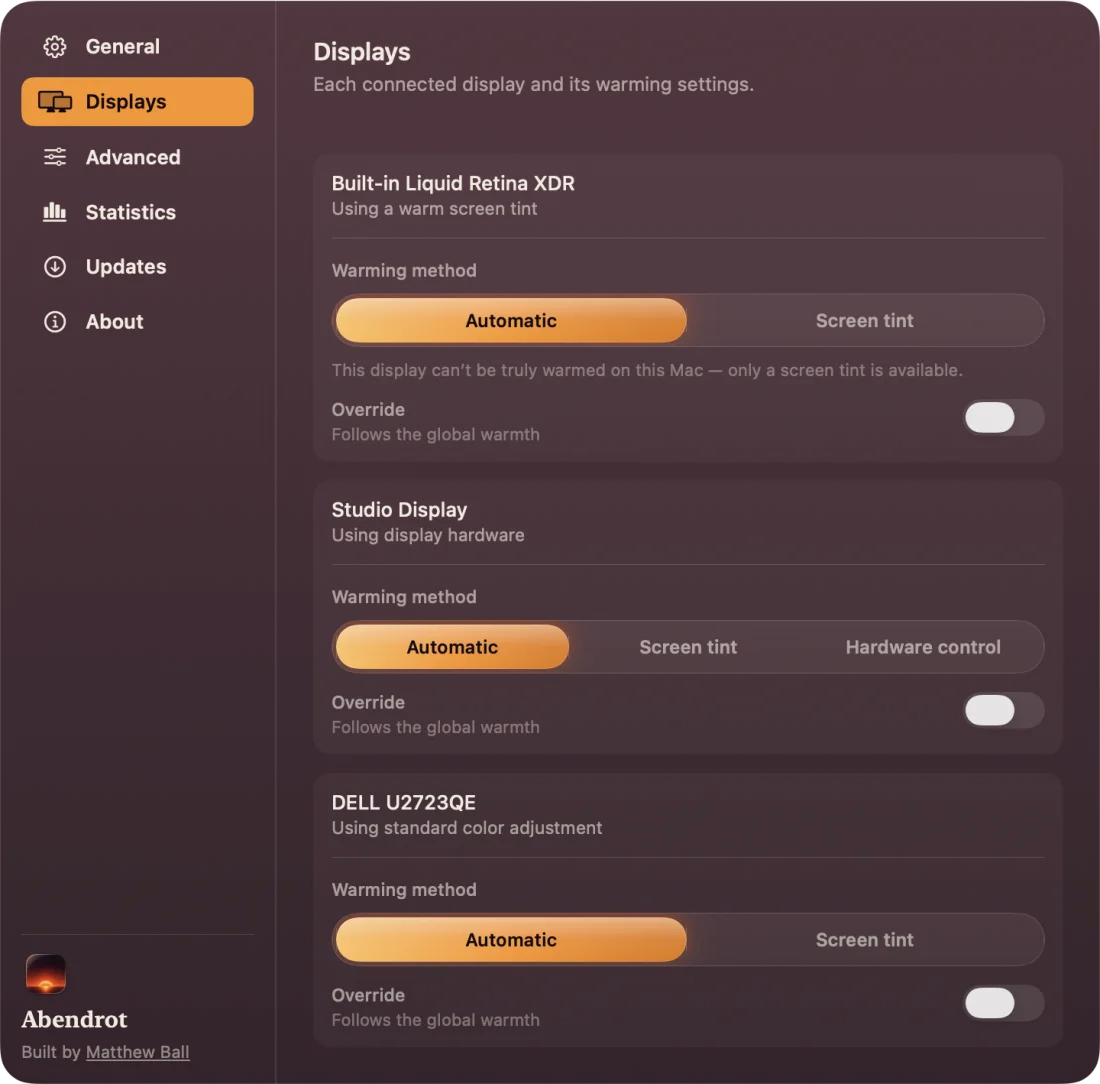
See each connected display and choose Automatic, Screen tint, or Hardware control when available.
Warms automatically around your local sunset, using your time zone or a city you choose.
Extend maximum warmth beyond the everyday range for the app’s warmest setting.
Hold or toggle a global shortcut to temporarily return your screen to true color.
No account, analytics, or usage telemetry. Your settings stay on your Mac.
The science
Abendrot targets the root cause of sleep disruption by minimizing the specific short-wavelength, melanopic light (blue/cyan) that tricks your body clock into thinking it's still daytime.[1,4-6]
Your body's internal clock processes light differently than your eyes do.1 The real goal is to reduce your exposure to sleep-disrupting blue and cyan light (short-wavelength, melanopic light) in the evening, aligning with your natural circadian rhythm.[4-6]
Rods and cones make the picture. A separate melanopsin system helps tell the brain whether it is day or night, and it is most sensitive around blue-cyan light near 480–490 nm.12 That is the band screen warming is meant to attenuate first.4
Lowering Kelvin is useful only because it changes the spectrum: less energy in the short wavelengths the melanopic system weights heavily.4 Abendrot’s everyday warm range is built around that input-side change: remove blue first, then leave the rest of the evening tradeoff to your eyes and the slider.
In a controlled display study, the melanopic content of evening screen light mattered even when ordinary brightness and color appearance were separated from it.5 That is why Abendrot talks about blue-rich light, not just whether the screen looks bright or beige.
Warming changes color. Dose still depends on intensity. Expert consensus frames evening light in melanopic EDI at the eye, and nocturnal light response rises steeply with brightness.68 The honest habit is warm and dim, not warm and glaring.
People vary by more than fifty-fold in sensitivity to evening light, so a single universal number would be fake precision.7 Abendrot gives you an adjustable evening nudge, not a clinical tool or an outcome guarantee.
How it compares
Night Shift is built into macOS; f.lux is a separate third-party app. Abendrot combines an everyday 1900 K range with an optional near-red Cozy endpoint, per-display hardware controls on compatible monitors, and software fallbacks. Read the source-checked guides to compare f.lux alternatives for Mac and warm external displays.
Open & private
Proprietary macOS feature1
Proprietary app2
Open source (MIT-licensed); the Mac app sends no analytics or usage telemetry3
Warmth & blue reduction
No published Kelvin endpoint or endpoint spectrum; warmer settings show more yellow and less blue1
Ember preset: 1200 K; warm presets reduce blue, with physical output varying by display2
Everyday warmth, plus optional near-red Cozy mode for stronger blue reduction at night4
Resource footprint
Built into macOS Displays settings1
Separate macOS menu-bar app; its developer has documented polling to recover color profiles and external-display changes2
Native and event-driven. In one matched Mac test, Abendrot used 24% less median memory than f.lux4